
MALAI JITNU XA – A Musical Journey of Determination in PUBG MOBILE Nepal
17 January 2026
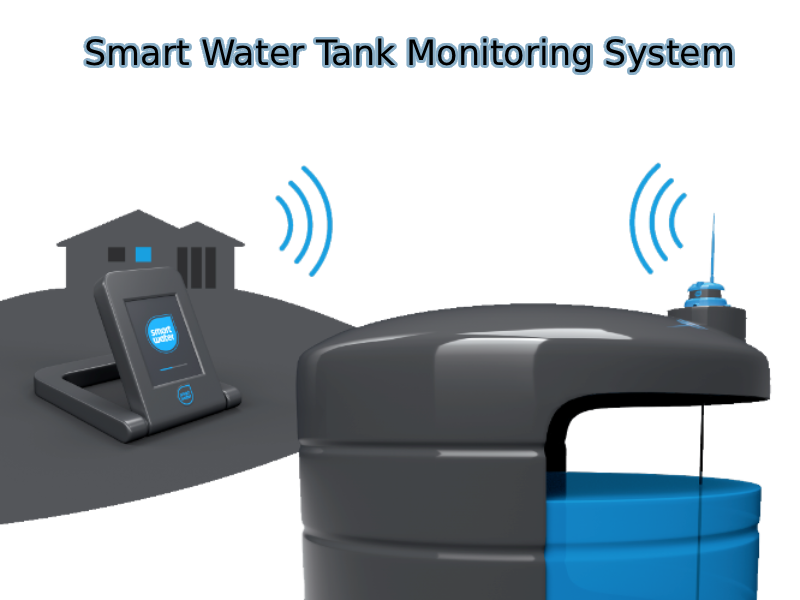
In the bustling streets of Kathmandu, Nepal, where water supply can be as unpredictable as the Himalayan weather, managing household water tanks often turns into a daily hassle. Picture this: rushing to check tank levels before the morning shower, worrying about overflows during monsoons, or dealing with empty tanks during dry spells. For many families, including mine, this "water rush" was a constant source of stress. But what if technology could handle it all? As a computer engineer with a passion for robotics, I, Sagar Luitel, decided to build my own smart water tank monitoring system – a game-changer that automates everything from level detection to pump control. Let's dive into the story behind this project and how it transformed my home into a smarter, stress-free haven.
My journey into this project started during my bachelor's in computer engineering at Madan Bhandari Memorial Academy Nepal, where I served as president of the Robotic Club. Leading robotics workshops and competitions honed my skills in embedding intelligence into everyday machines – from line-following robots to automated arms. But it wasn't until I returned home that I saw the real-world application staring me in the face: our family's water tanks.
Like many Nepali households, we rely on overhead and underground tanks to store water from intermittent municipal supplies. Manually checking levels meant climbing ladders, peering into dark tanks, or worse – dealing with floods from forgotten pumps. During peak "rush hours," like early mornings or evenings, forgetting to switch off the pump could waste precious water or cause overflows. As a tech enthusiast, I thought, "Why not automate this?" Drawing from my robotics background, I envisioned an IoT system that monitors levels in real-time, controls the pump intelligently, and sends alerts via a mobile app. This wasn't just a hobby project; it was a practical fix for my own home, blending my engineering expertise with the need to simplify daily life.
Water management in Nepal isn't just about convenience – it's a necessity. With frequent power cuts, erratic water deliveries, and the risk of contamination from overfilled tanks, households often face inefficiencies. Traditional methods like float valves are prone to failure, and manual oversight leads to wasted time and resources. My goal was to create a reliable, cost-effective system that:
SEO-optimized tip: If you're searching for "DIY water tank level monitoring with ESP32" or "IoT pump automation for home," this project hits the mark, using affordable hardware to solve common "home water management problems in developing countries."
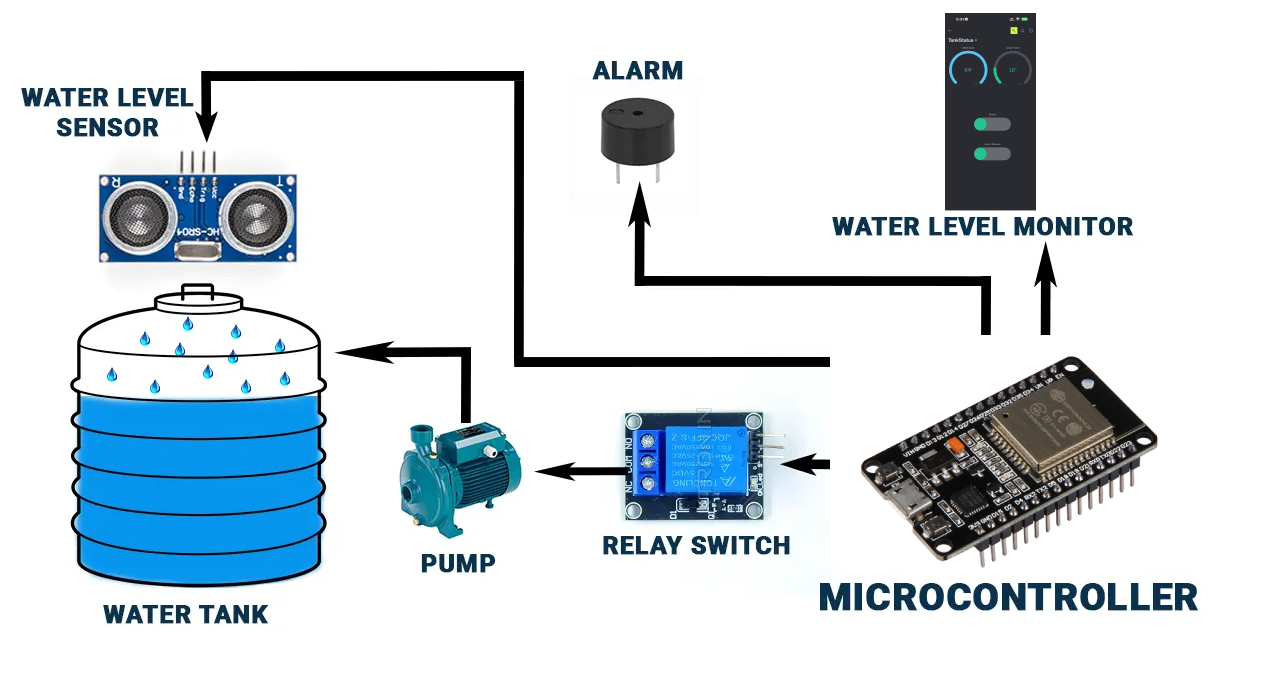
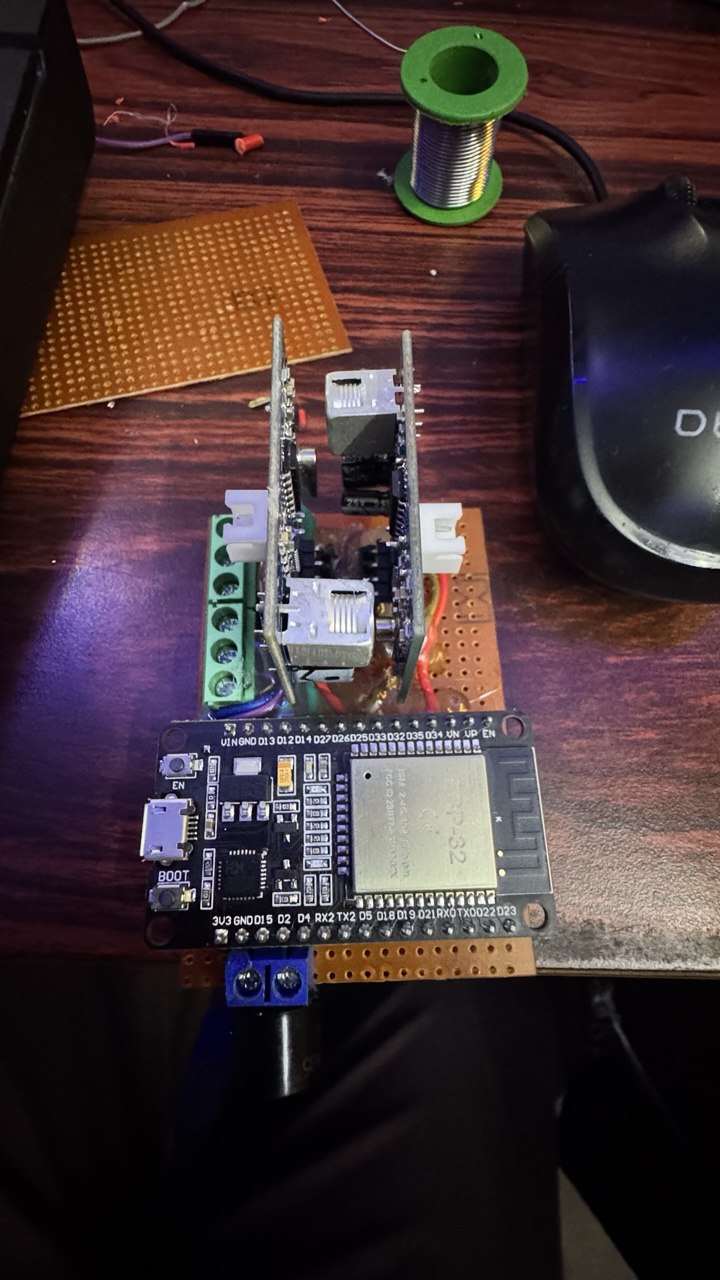
At the heart of this system is the ESP32 microcontroller – a powerhouse for IoT projects known for its WiFi capabilities and low power consumption. I paired it with ultrasonic sensors for non-contact level measurement in both the main (underground) and secondary (overhead) tanks. Conductive probes add an extra layer of accuracy, detecting low and high water states to trigger actions reliably.
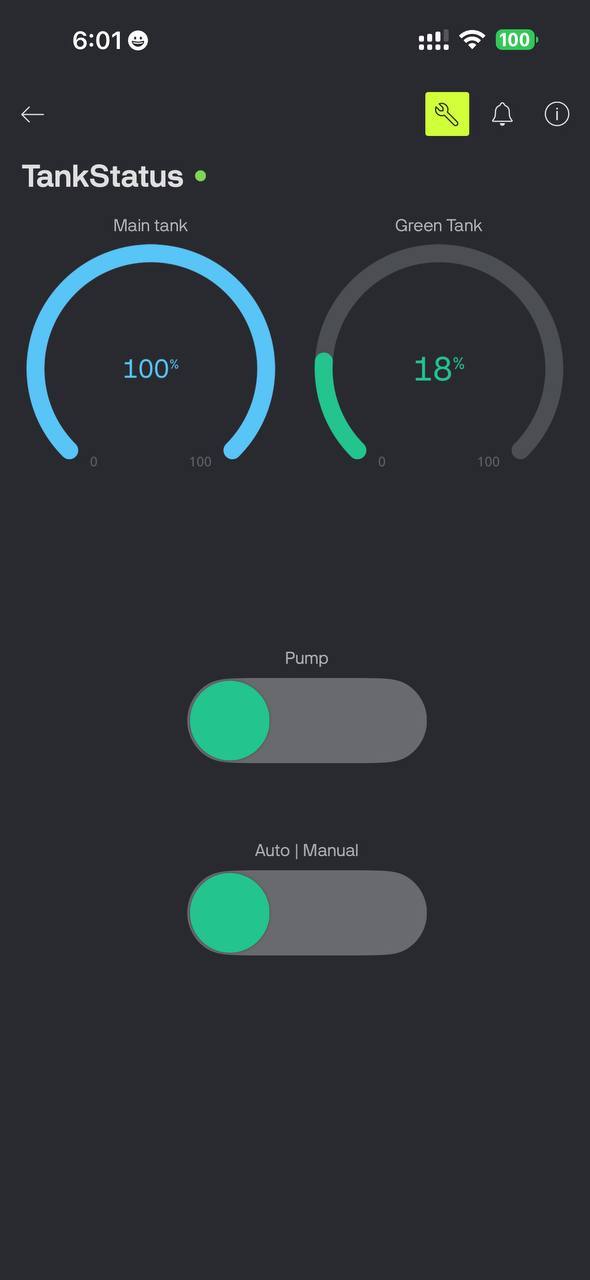
The pump control uses a relay module, ensuring it only activates when needed – like when the overhead tank dips low and the underground one has sufficient water. To make it user-friendly, I integrated Blynk, a popular IoT platform, for a sleek app interface. Users can view tank percentages, toggle manual mode, and receive notifications for critical events like "tank empty" or "tank full."
Key features include:
From prototyping on a breadboard to a polished enclosure, the build took about two weeks of tweaking. My robotics club experience was invaluable here – teaching me to iterate on sensor accuracy and code efficiency, much like debugging a competition bot.
Since deploying this system in my household, the "daily rush" is history. No more wasted water from overflows, no dry taps during busy times, and remote checks mean I can monitor from anywhere – perfect for working professionals. It's eco-friendly too, conserving water in a country where shortages are common. Cost-wise, the entire setup was under $50, using readily available components like ESP32 boards and HC-SR04 sensors.
For fellow makers searching for "ESP32 Blynk water level project" or "automated water pump controller Nepal," this is a blueprint for customization. Future upgrades? Integrating solar power for off-grid reliability or AI for predictive maintenance based on usage patterns.
What started as a personal fix for household woes evolved into a testament to how engineering can solve real-life problems. As president of my college robotic club, I learned that innovation thrives at the intersection of technology and necessity. This smart water tank system isn't just gadgets and code – it's about reclaiming time, reducing stress, and making homes smarter. If you're inspired to build your own "IoT home automation project," start small, iterate, and watch the magic unfold.
Have you faced similar water management challenges? Share your thoughts in the comments, or reach out for tips on replicating this setup. Let's make everyday life a bit more automated!
======== // IMPORTANT CREDENTIALS - REPLACE THESE WITH YOUR OWN VALUES // =========
// Blynk credentials - Get these from your Blynk project dashboard
#define BLYNK_TEMPLATE_ID "YOUR_TEMPLATE_ID_HERE" // e.g. "TMPLxxxxxx"
#define BLYNK_TEMPLATE_NAME "YOUR_TEMPLATE_NAME_HERE" // e.g. "TankStatus"
#define BLYNK_AUTH_TOKEN "YOUR_AUTH_TOKEN_HERE" // 32-character token
// WiFi credentials - Change to your network
#define WIFI_SSID "YOUR_WIFI_SSID_HERE" // e.g. "HomeNetwork"
#define WIFI_PASS "YOUR_WIFI_PASSWORD_HERE" // e.g. "MySecretPass123"
} 

17 January 2026
17 January 2026